# Delete Multisig Wallet

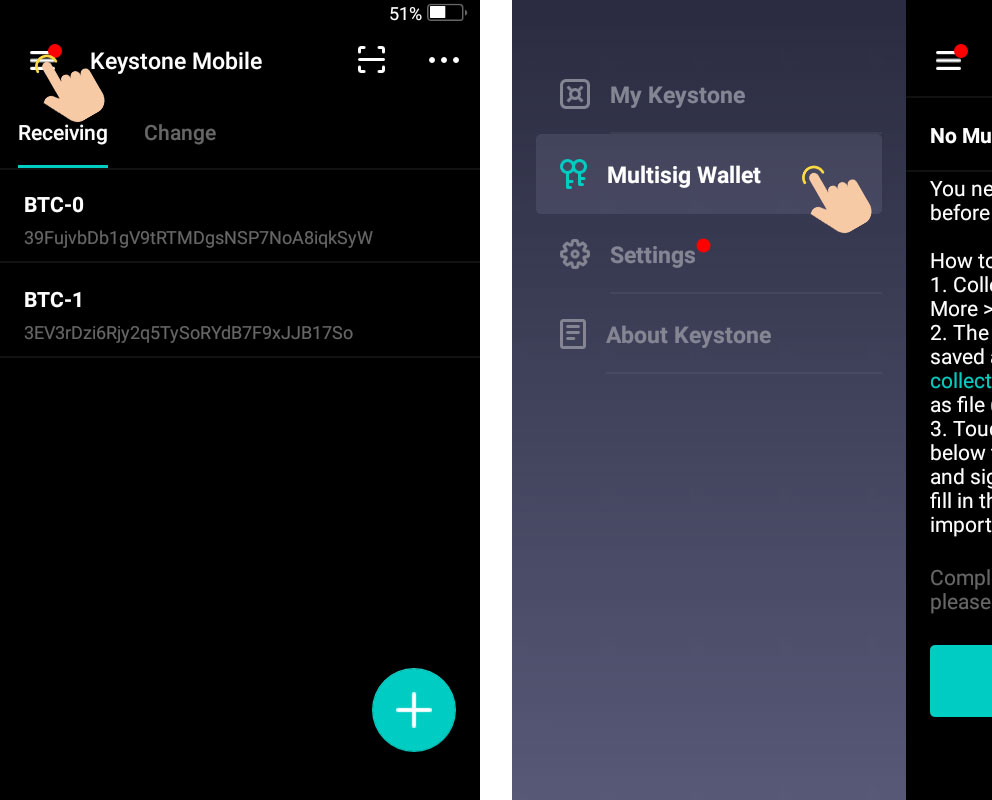
1.Touch the \[Menu] icon -> \[Multisig Wallet].

<figure><img src="https://2420738387-files.gitbook.io/~/files/v0/b/gitbook-legacy-files/o/assets%2F-MVozfoQsxc6YFPQfVTB%2F-MabixeiGTongM_IEWmz%2F-MabqPo8smO7gmKZQcDK%2F1.jpg?alt=media&#x26;token=77251dfc-9c27-49c5-b61b-23849ac2f0e9" alt="Keystone-MultiSig deleting-1"><figcaption></figcaption></figure>

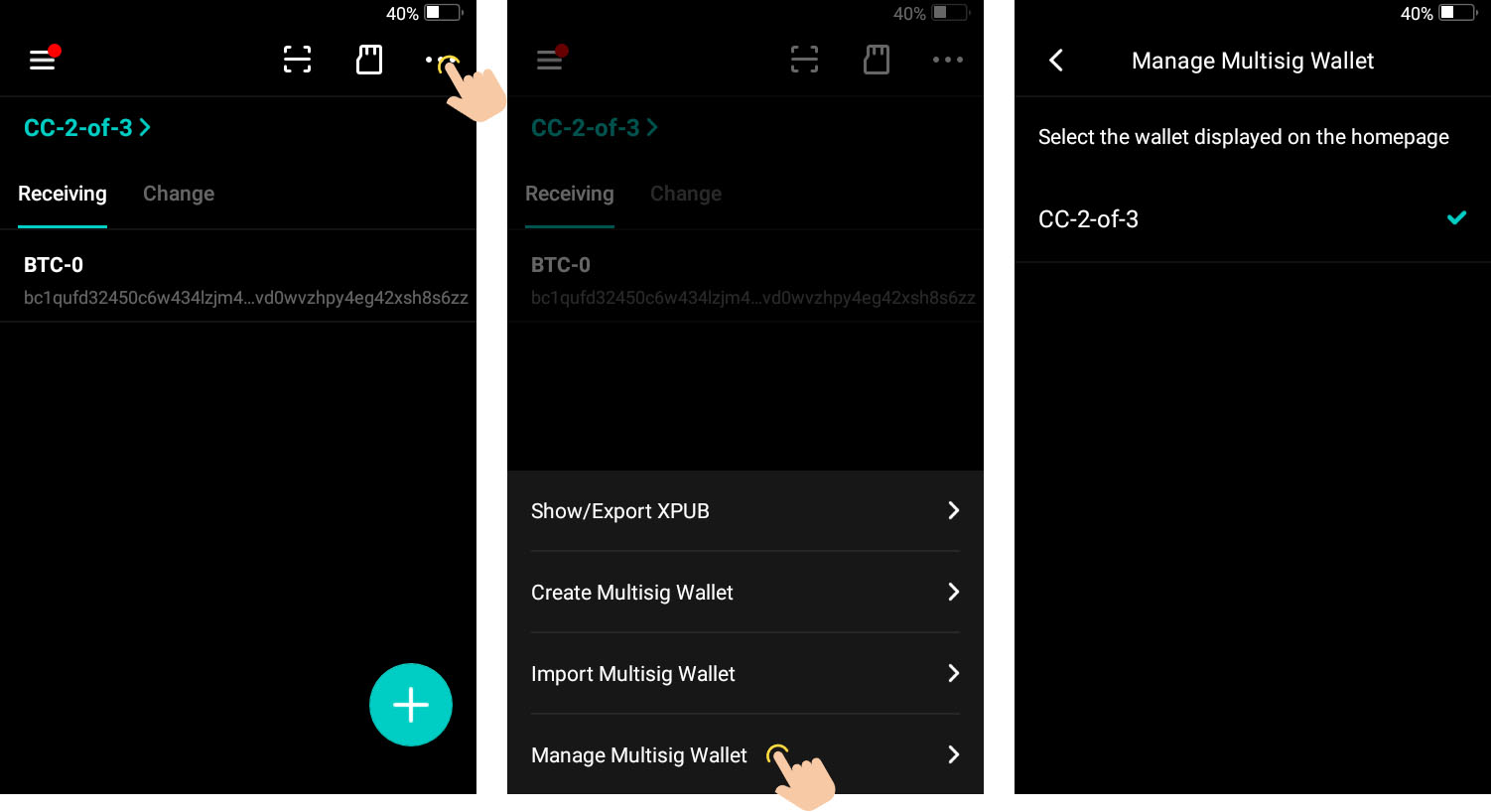
2.Touch the \[•••] icon -> \[Manage Multisig Wallet].

<figure><img src="https://2420738387-files.gitbook.io/~/files/v0/b/gitbook-legacy-files/o/assets%2F-MVozfoQsxc6YFPQfVTB%2F-MabixeiGTongM_IEWmz%2F-MabpjKh2lKx47fL0g8s%2F2.jpg?alt=media&#x26;token=3be9ee7b-9a38-4ebb-8751-6a9d71bb17d7" alt="Keystone-MultiSig deleting-2"><figcaption></figcaption></figure>

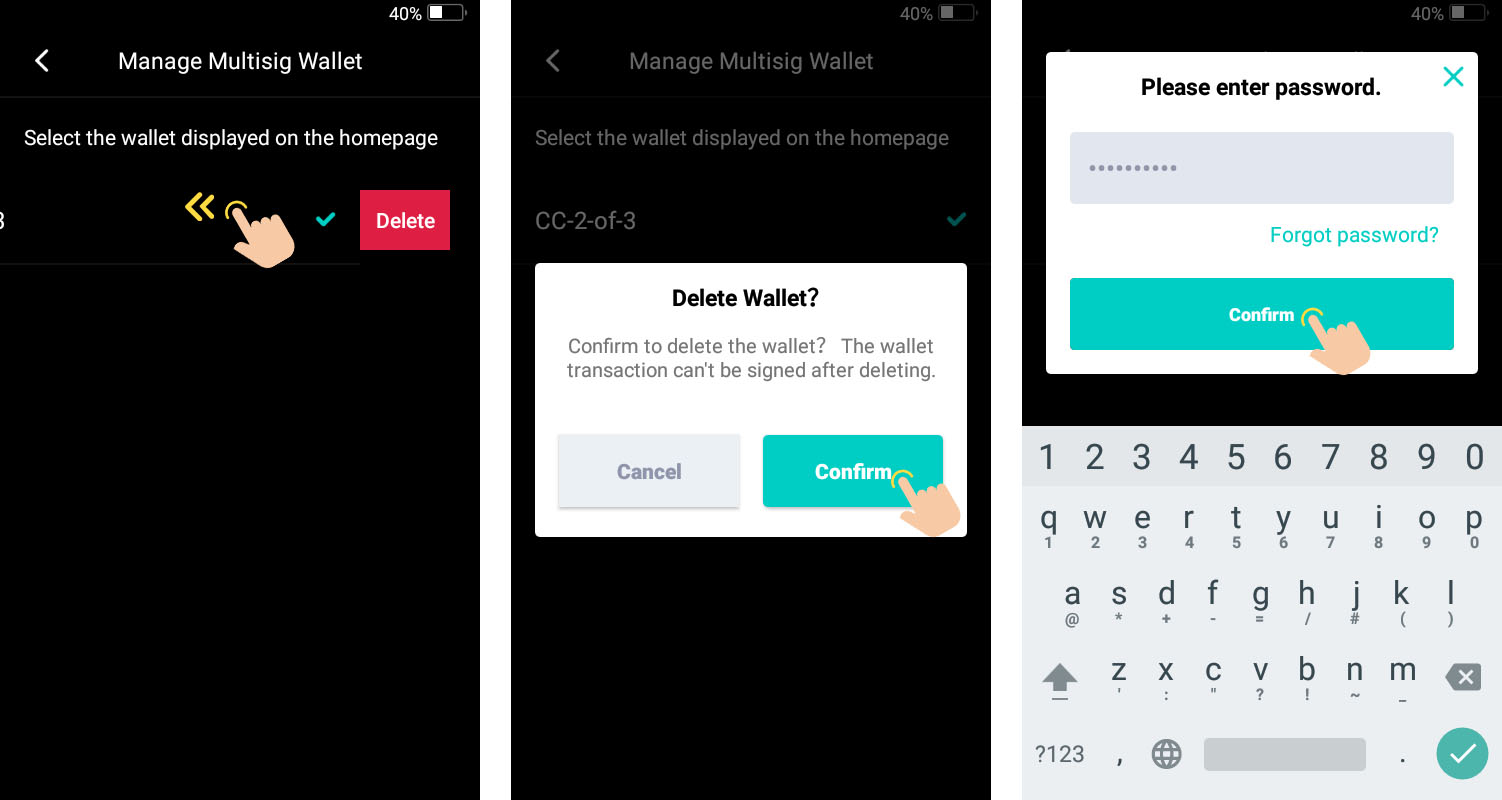
3.Swipe left the multisig wallet you need to delete. Touch \[Confirm] and enter the password to verify.
<figure><img src="https://2420738387-files.gitbook.io/~/files/v0/b/gitbook-legacy-files/o/assets%2F-MVozfoQsxc6YFPQfVTB%2F-MabixeiGTongM_IEWmz%2F-Mabpn8md3tz0XN1qqbo%2F3.jpg?alt=media&#x26;token=6139c1c4-2406-4974-ba46-4649a9941459" alt="Keystone-MultiSig deleting-3"><figcaption></figcaption></figure>