---
description: >-
本教程將指導您如何將 Keystone Essential 或 Pro 設備(運行固件版本 M-9.4(多幣)或更新版本)與 Petra(V-1.1.6
或更新版本)連接。
---
# Petra Aptos 錢包(擴展程序端)
### 一、準備工作
1\. 將您的 Keystone 設備更新至[固件版本 M-9.4 (Multi-Coin)](https://keyst.one/firmware?locale=en)或更高版本。 \
(請參考以下文章了解[如何更新固件](../../kai-shi-shi-yong/ru-he-sheng-ji-gu-jian))
2\. 下載並安裝 [Petra](https://petra.app/)(V-1.1.6 或更新版本)。
### 二、將您的 Keystone 硬件錢包導入 Petra
### 1. 登入 Petra Aptos 錢包
1\. 啟動 Petra 並創建一個新錢包。
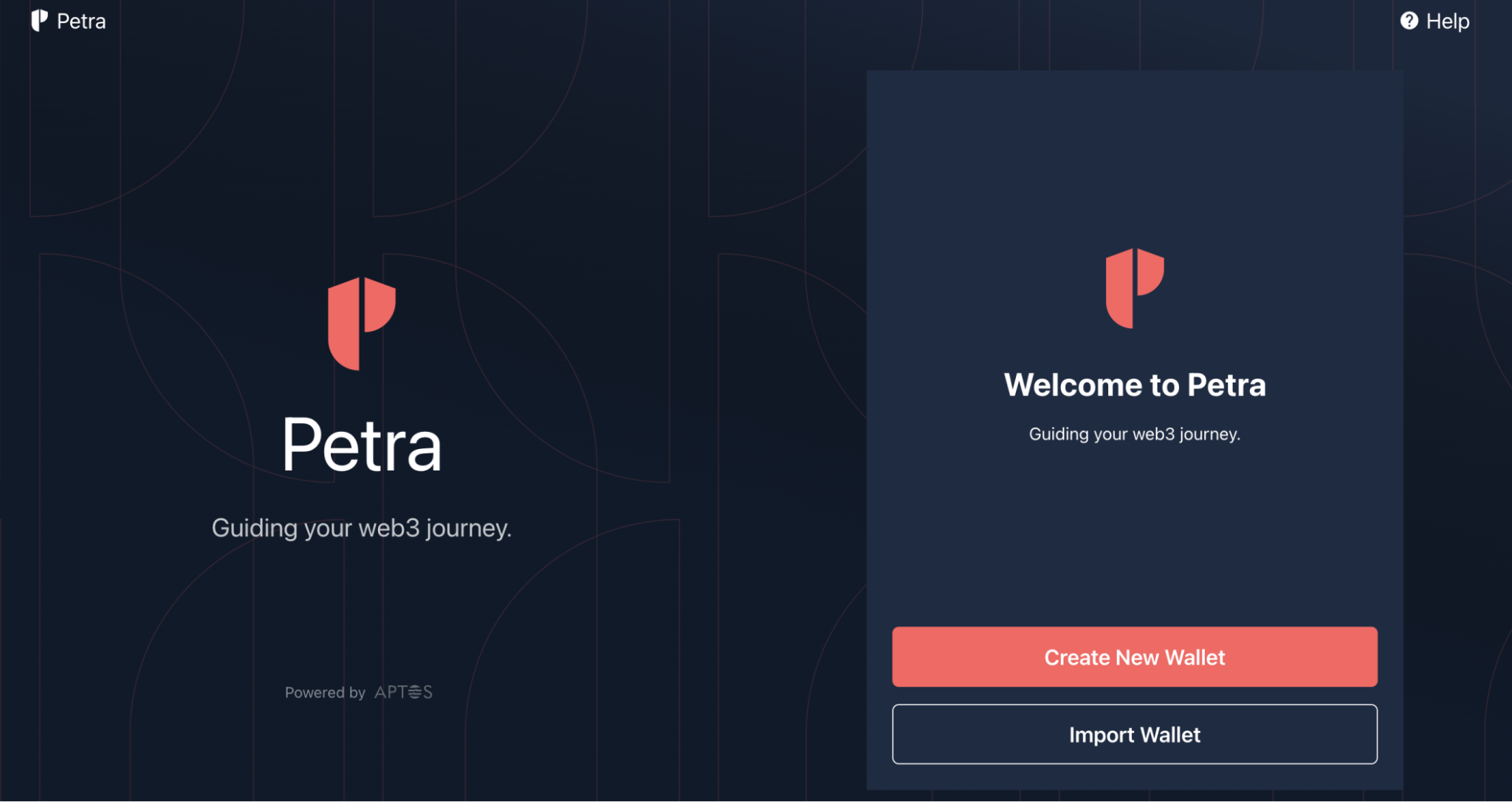 2\. 設定 Petra 錢包的密碼和保存助記詞在安全的地方。創建完錢包,你應該会成功登入 Petra。

### 2. 同步 Keystone 到 Petra
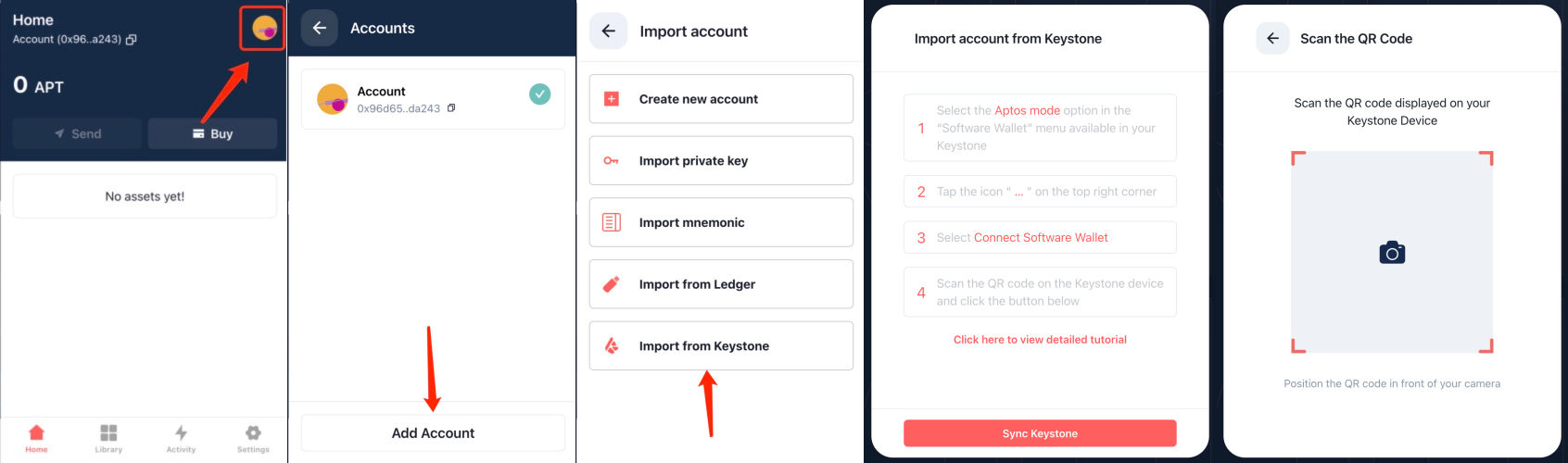
1\. 在 Petra 中,前往個人資料並點擊 \[添加帳戶] > 點擊 \[從 Keystone 導入] > \[同步 Keystone]
2\. 設定 Petra 錢包的密碼和保存助記詞在安全的地方。創建完錢包,你應該会成功登入 Petra。

### 2. 同步 Keystone 到 Petra
1\. 在 Petra 中,前往個人資料並點擊 \[添加帳戶] > 點擊 \[從 Keystone 導入] > \[同步 Keystone]
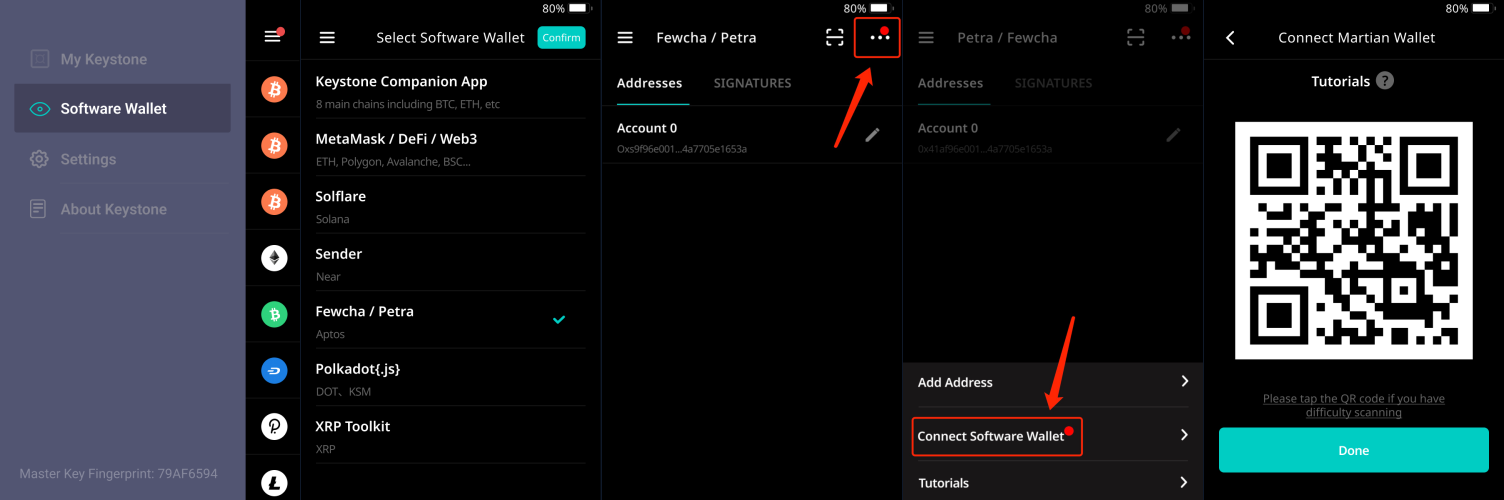
 2\. 在 Keystone 上,導航至 \[Software Wallet] > 點擊 \[Fewcha/Petra] > 點擊 \[...],然後點擊 \[Connect Software Wallet]。然後將顯示二維碼。
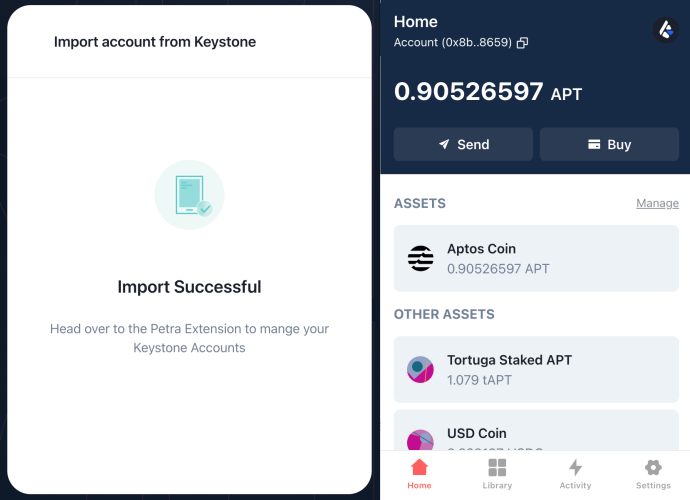
 3\. 让 Petra 掃描 Keystone 設備上顯示的二維碼。
恭喜!您的 Keystone 硬件錢包現已成功連接到 Petra!
3\. 让 Petra 掃描 Keystone 設備上顯示的二維碼。
恭喜!您的 Keystone 硬件錢包現已成功連接到 Petra!
 ### 三、使用您的 Keystone 硬件錢包發送 APT
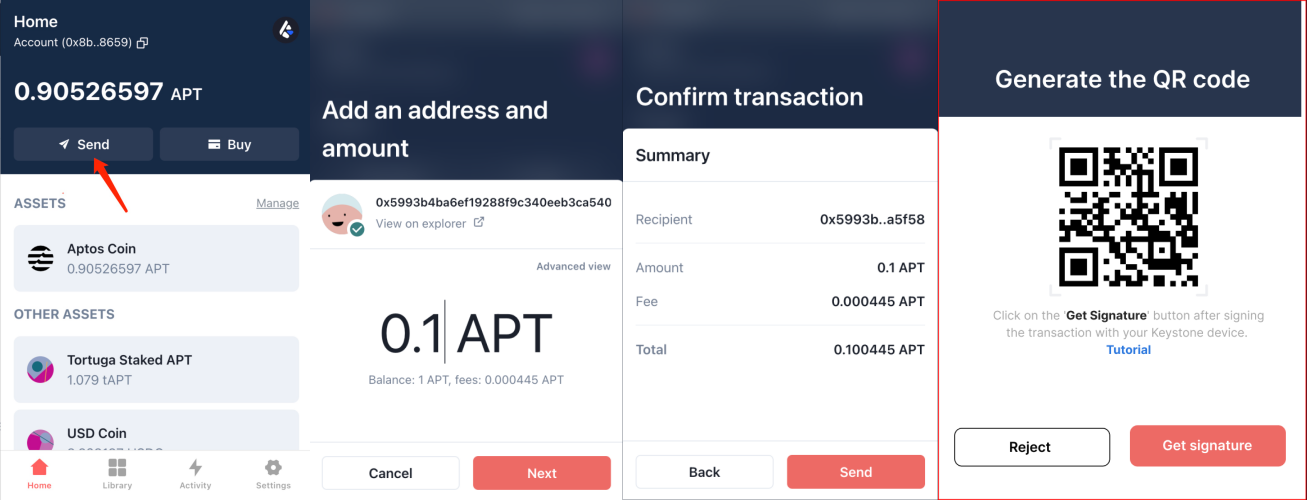
1\. 在 Petra 中,點擊【發送】按鈕,輸入收款人的賬戶 ID 和您要發送的金額。點擊 \[下一步] > \[發送],將出現一個二維碼。
### 三、使用您的 Keystone 硬件錢包發送 APT
1\. 在 Petra 中,點擊【發送】按鈕,輸入收款人的賬戶 ID 和您要發送的金額。點擊 \[下一步] > \[發送],將出現一個二維碼。
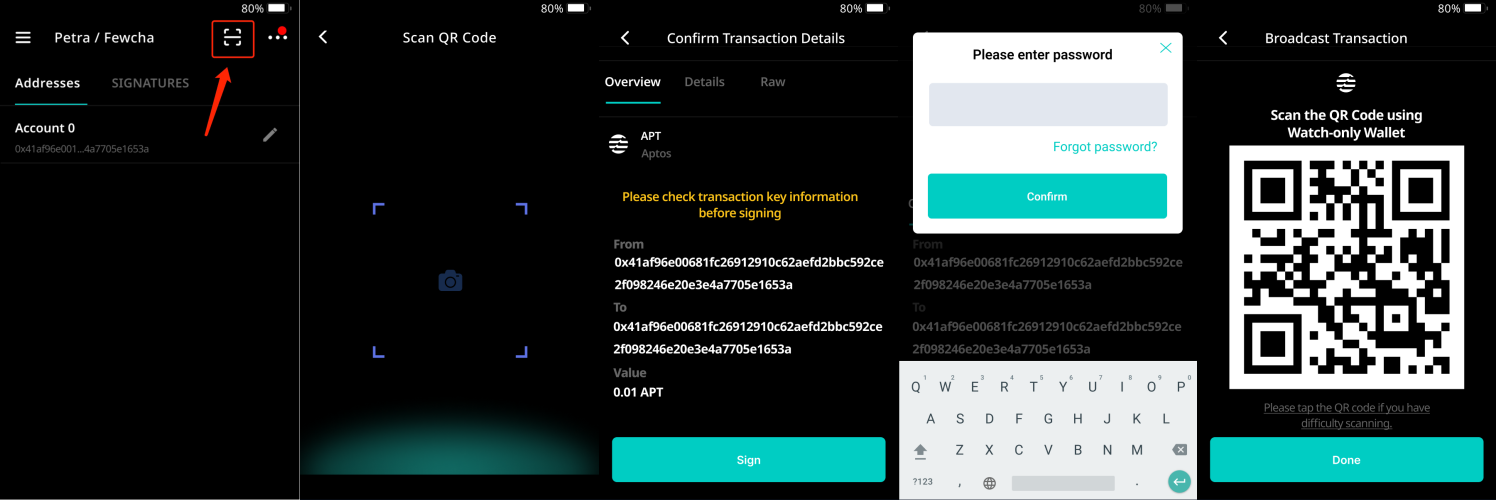
 2\. 拿起 Keystone ,點擊 \[-] 圖標掃描 Petra 中顯示的二維碼。查看交易並點擊 \[Sign] > 輸入您的密碼並點擊 \[Confirm]。然後,二維碼將顯示在您的 Keystone 硬件錢包上。
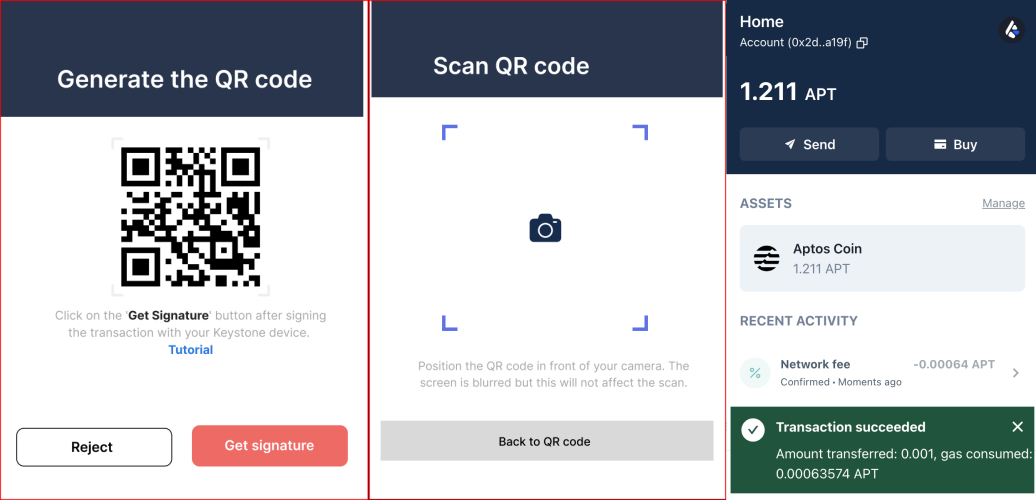
 3\. 在 Petra 中,單擊 \[Get Signature] 按鈕並使用 Petra 應用程序掃描您的 Keystone 硬件錢包中的二維碼。
就是這樣!交易現已成功廣播到網絡。
3\. 在 Petra 中,單擊 \[Get Signature] 按鈕並使用 Petra 應用程序掃描您的 Keystone 硬件錢包中的二維碼。
就是這樣!交易現已成功廣播到網絡。