> For the complete documentation index, see [llms.txt](https://support.keyst.one/llms.txt). Markdown versions of documentation pages are available by appending `.md` to page URLs; this page is available as [Markdown](https://support.keyst.one/traditional-chinese/qi-ta/jiang-keystone-banlying-yong-yong-hu-qian-yi-dao-okx-de-fen-bu-zhi-nan.md).
# 將Keystone伴侶應用用戶遷移到OKX的分步指南
感謝您一直以來對Keystone的支持與信任。我們在此通知您,我們已經成功地將您在Keystone伴侶應用中持有的加密貨幣與OKX平台進行了集成。這意味著您現在可以在OKX平台上管理所有受支援的加密資產。
#### 這對您的意義:
* **簡化管理**:輕鬆訪問並管理您的資產。
* **增強功能**:利用OKX的高級交易工具、安全功能和更廣泛的市場訪問。
## 第一步:升級Keystone韌體
為了確保平穩過渡和與OKX的相容性,請將您的Keystone韌體升級到最新版本。
* 對於多幣種用戶,請升級到版本 **M-13.0** 或以上;
* 對於僅支援比特幣的用戶,請升級到版本 **M-3.6** 或以上。
## 第二步:將Keystone連接到OKX
現在您的韌體已更新,是時候將您的Keystone設備連接到OKX了。
### 如何將Keystone連接到OKX
**在您的Keystone硬體錢包上:**
* 在選擇軟體錢包連接頁面選擇 \[OKX wallet]
* 將會顯示一個二維碼,準備好使用OKX Wallet掃描。
**在OKX Wallet上:**
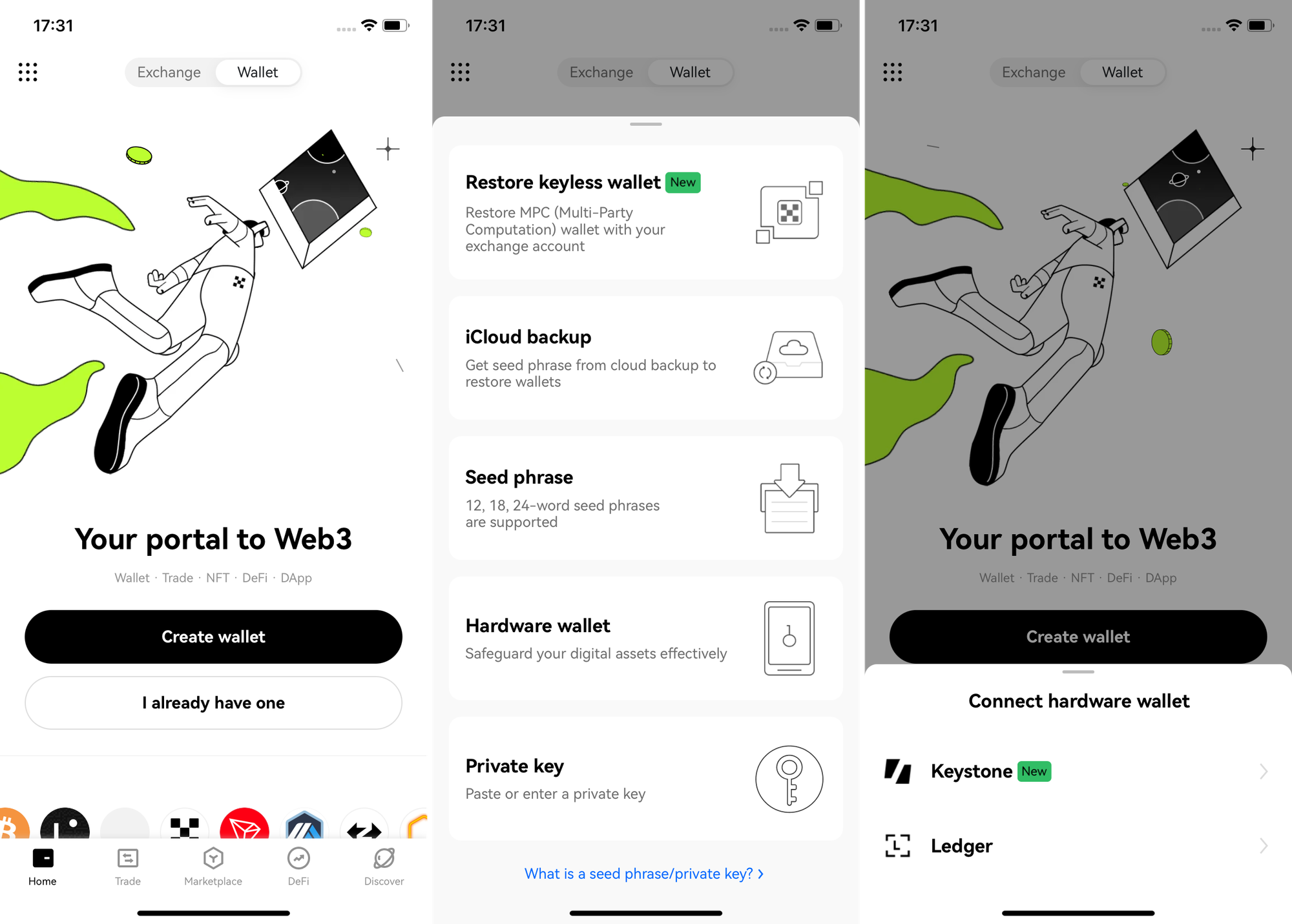
* 啟動OKX Wallet,然後點擊頂部的 \[Wallet]。
* 選擇 \[I already have one],然後選擇 \[Hardware wallet],並選擇 \[Keystone]。
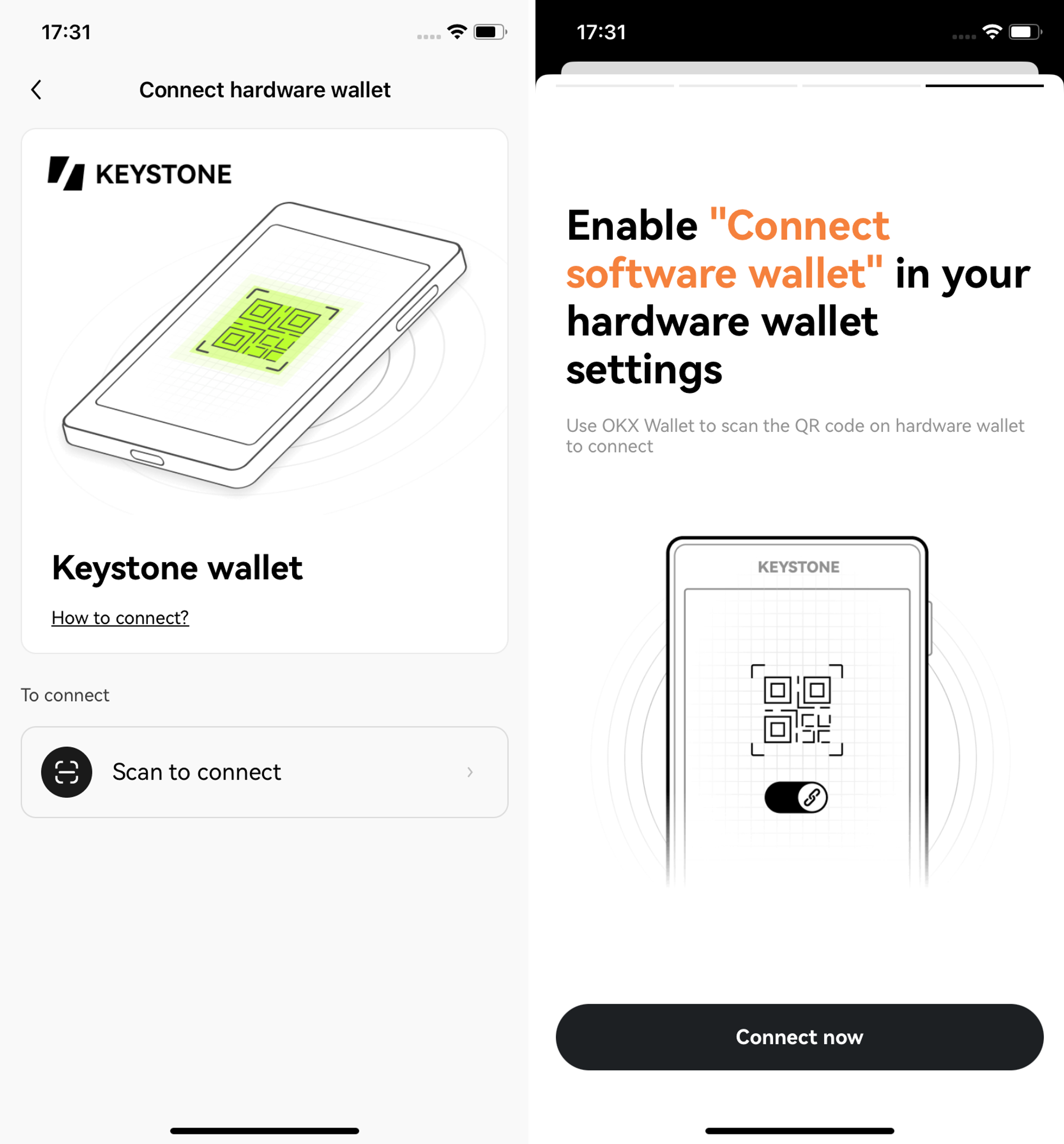
 * 按照提供的說明仔細操作,按 \[Connect now] 進行連接。
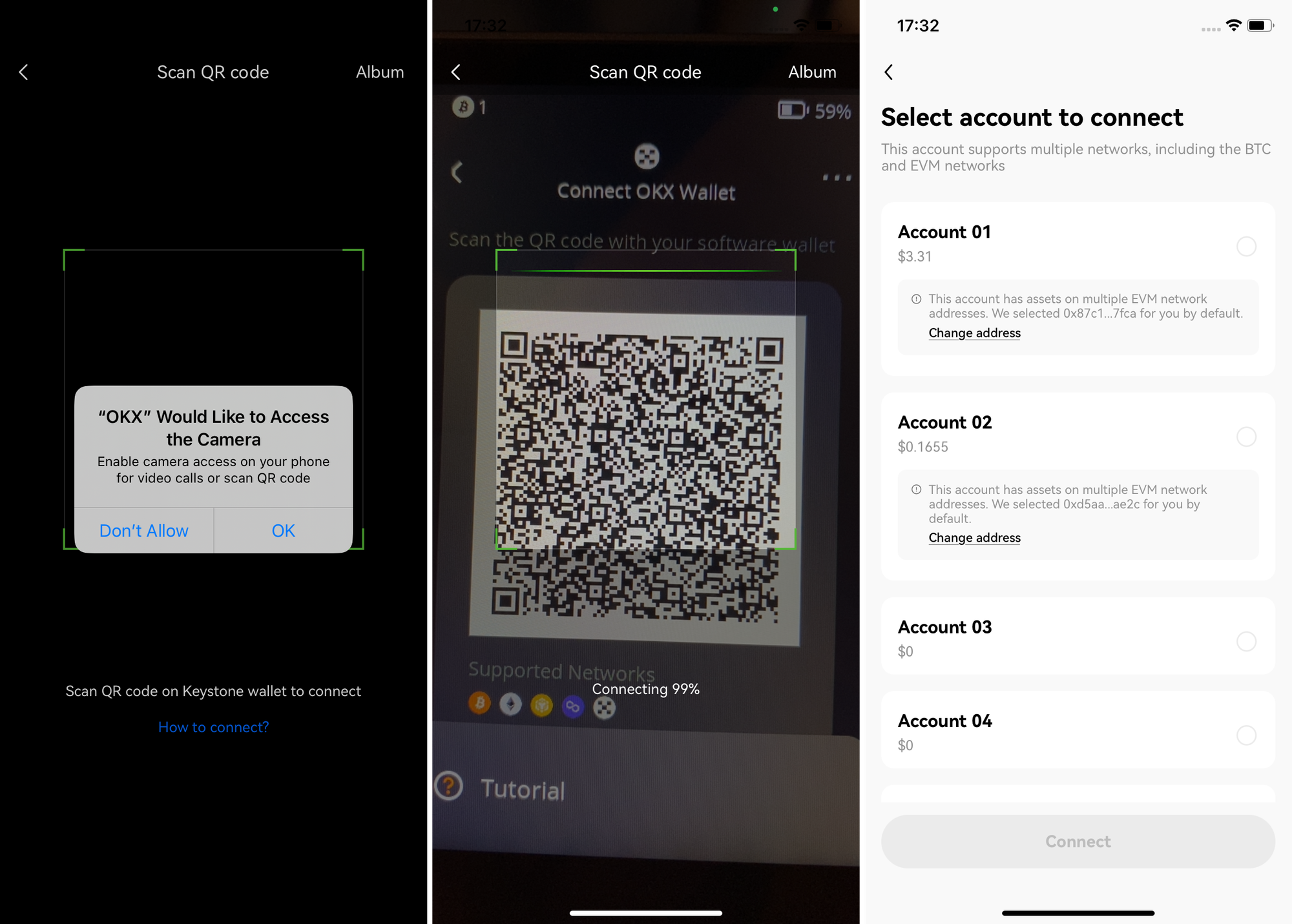
 * 請授權“OKX”應用訪問您的相機,並使用它來掃描顯示在您的Keystone硬體錢包上的QR碼,然後選擇要解鎖的帳戶。
 通過遵循這些簡單的步驟,您可以無縫地將加密貨幣從Keystone伴侶應用遷移到OKX。在OKX平台上享受增強的功能和精簡的管理。
如果您有任何問題或需要進一步幫助,請隨時聯繫我們的支援團隊。
感謝您選擇Keystone進行您的加密貨幣管理!
通過遵循這些簡單的步驟,您可以無縫地將加密貨幣從Keystone伴侶應用遷移到OKX。在OKX平台上享受增強的功能和精簡的管理。
如果您有任何問題或需要進一步幫助,請隨時聯繫我們的支援團隊。
感謝您選擇Keystone進行您的加密貨幣管理!